Every frame has a frequency.
Give it a photograph and it hands you back a record. Something in the light or the mood of a picture is also in a piece of music, and Echo Frame finds that match, from your own library or the whole of Apple Music, and tells you why. I built it because I kept hearing songs in my own photos and had nowhere to keep the two together.
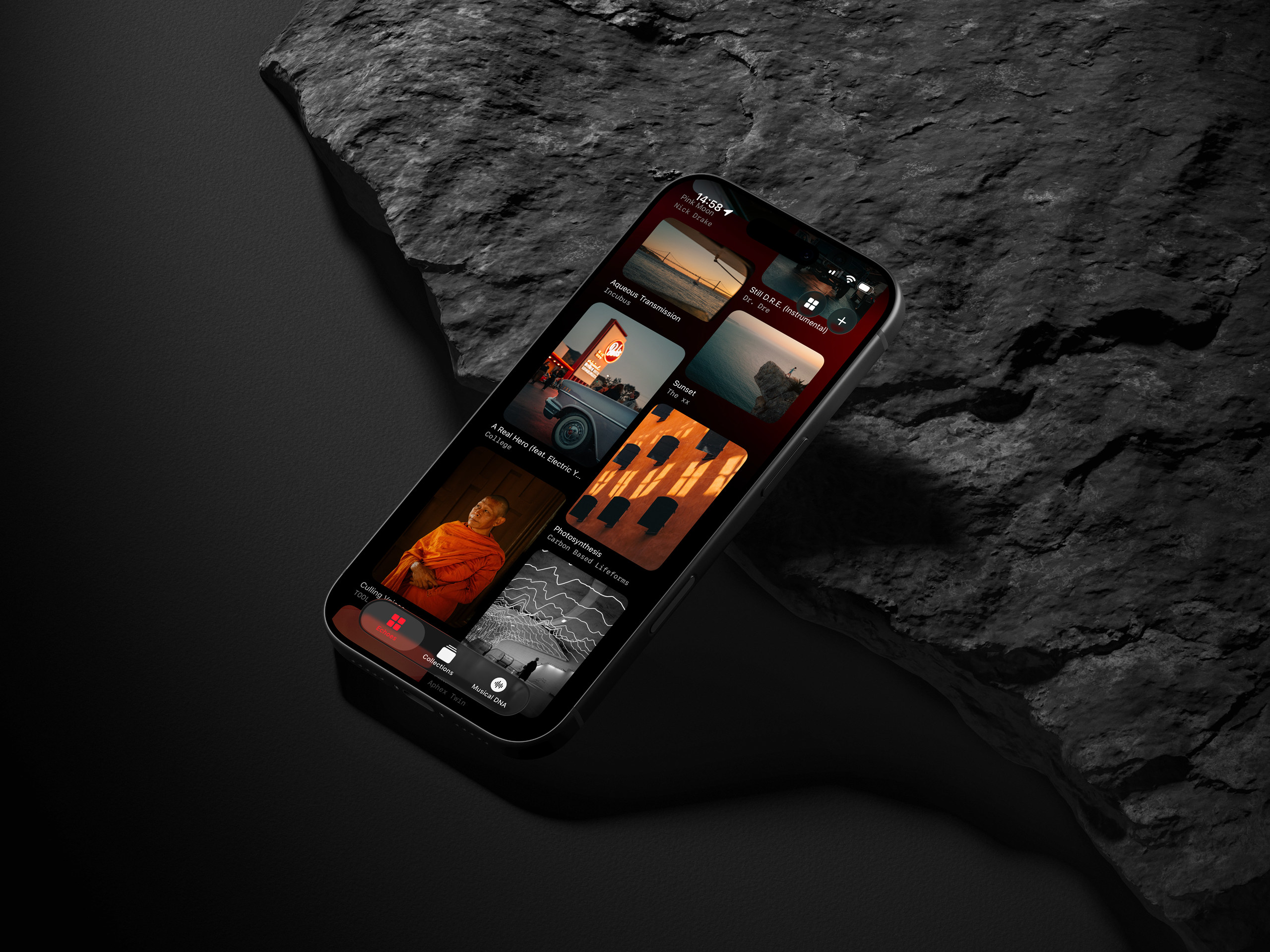 shot1 · 4:3 · 2560×1920
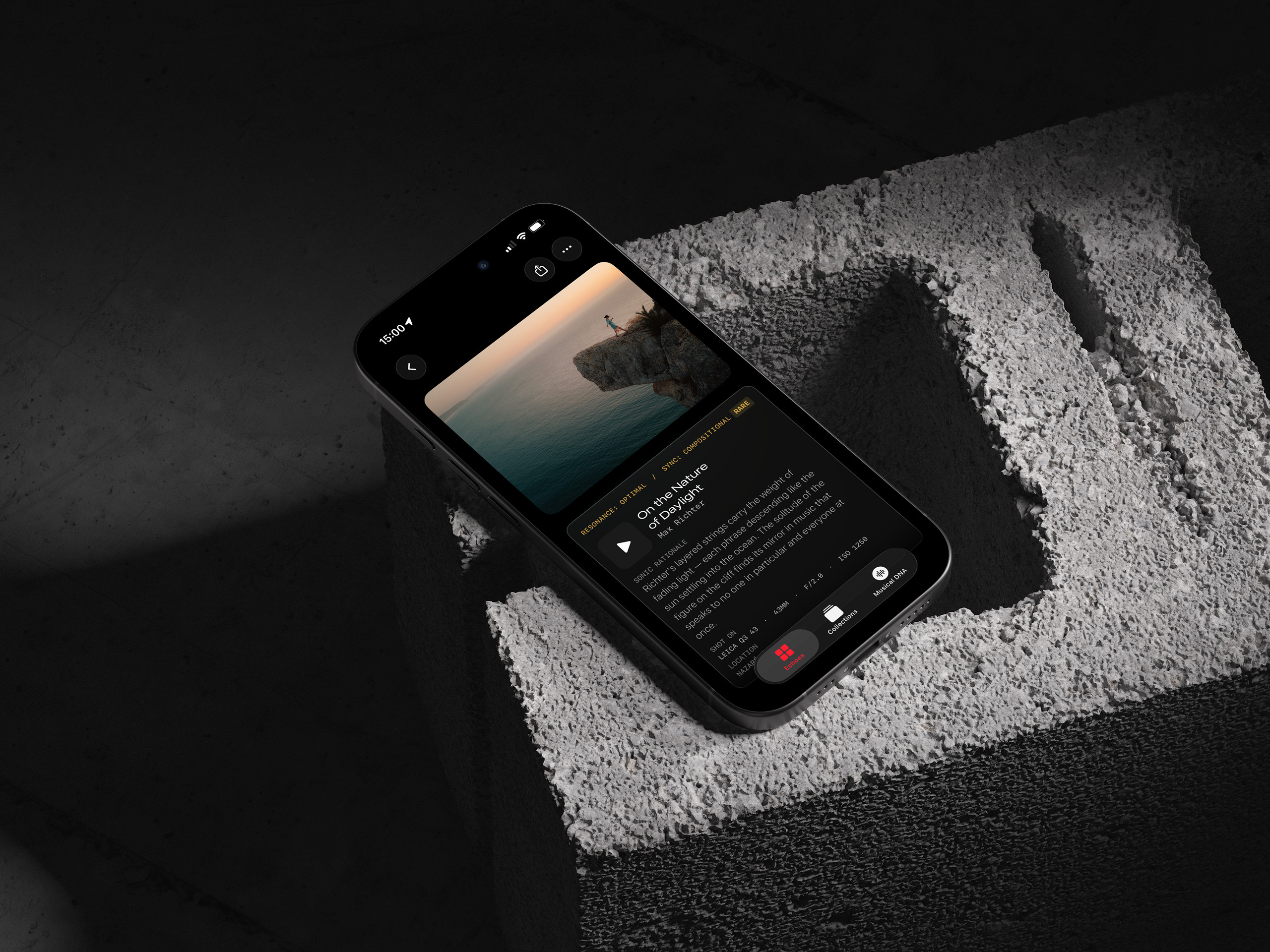 shot2 · 4:3 · 2560×1920
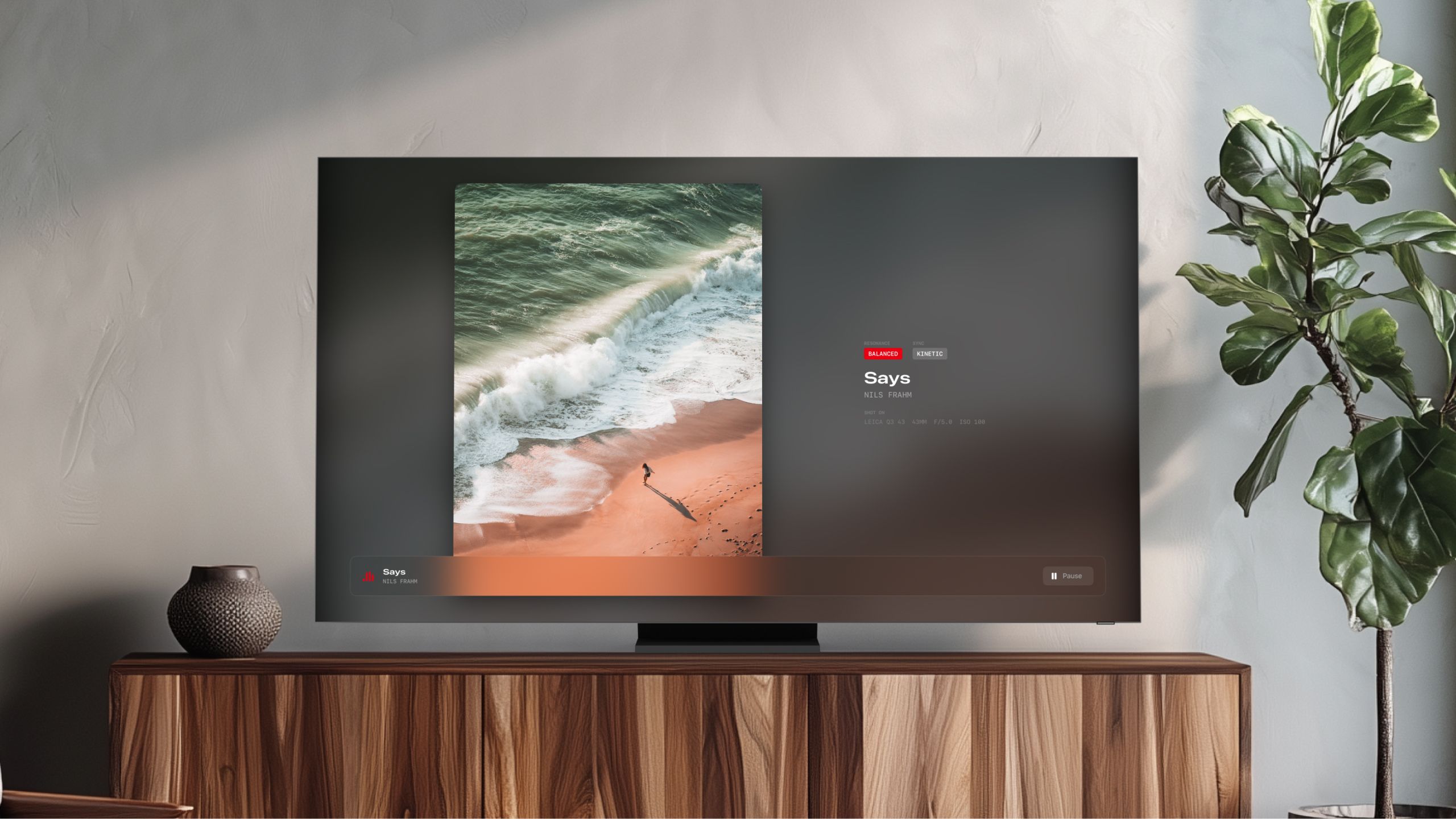 Apple TV · echo-tv · 16:9
What does a photograph sound like?
I kept asking myself that while editing pictures, so I built the app that answers it. You give Echo Frame a photograph. It reads it two ways: the story in the frame, and seven visual qualities I care about as a photographer, colour, composition, texture, structure, light, movement and the elements in it. Then it names a record that feels the same as the picture, and tells you why it thinks so.
Your own library first. The whole catalogue when you want it.
Library mode looks through your Apple Music collection and finds the pairing in music you already listen to. Discovery mode goes out to the full catalogue. Early on, discovery had a habit I didn’t like: now and then it would name a record that didn’t exist. It now has to check every title against the catalogue before you see it, and it isn’t allowed to repeat itself. Whatever it names, you can press play.
Every photograph and its sonic double — on the biggest screen in your home.
The Apple TV app pairs each photo with the track that resonates with it and projects the two together on your television. It's a separate app that shows the Echoes you sync from your phone, so it needs the iPhone app first. The 2.0 beta is by invitation: write me and I'll add you to both TestFlight builds. Sign into the same iCloud on both, save a few Echoes, and they appear on your TV automatically.
Read the light.
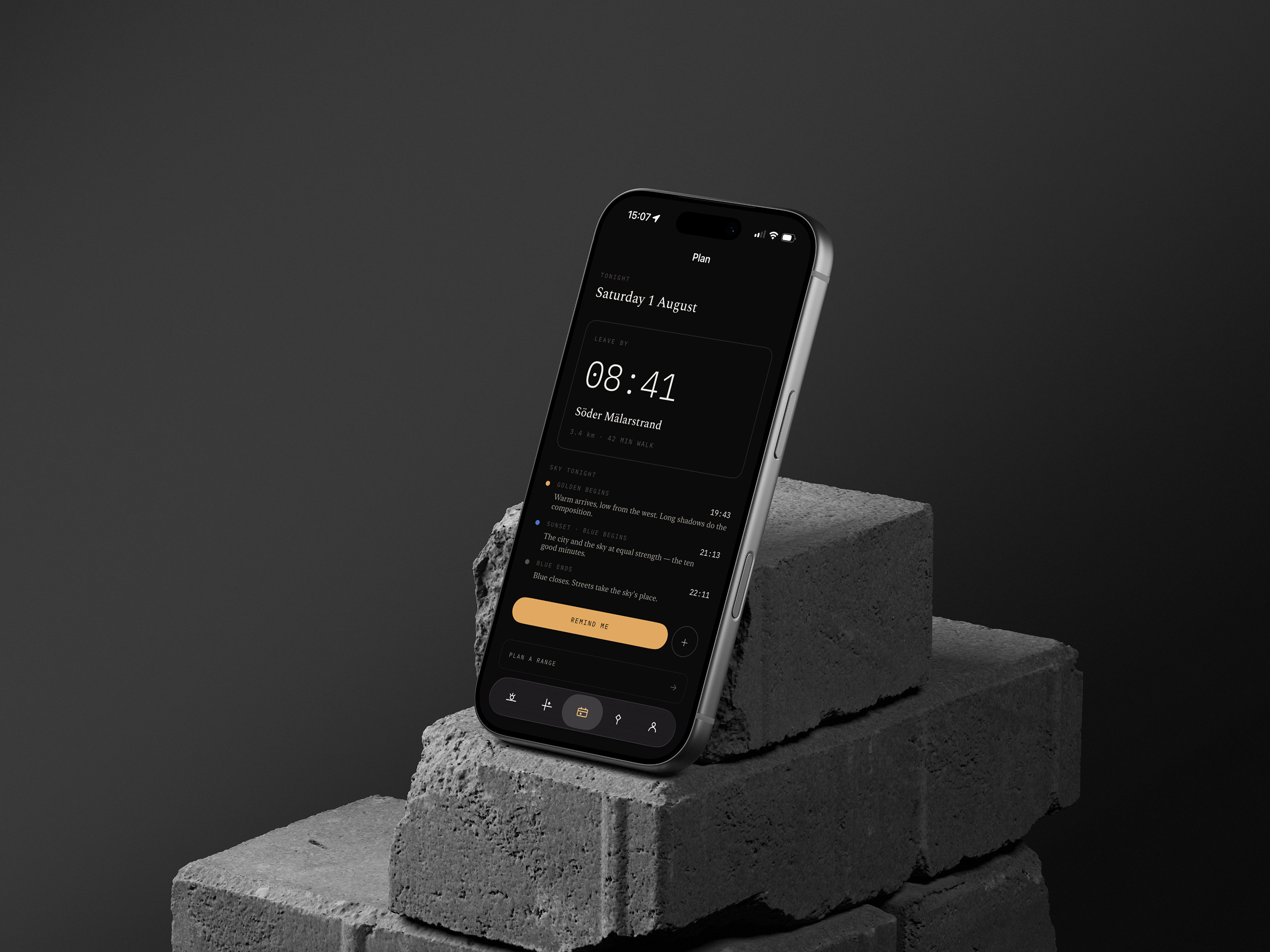
Sightline tells you what the light will do to your photograph before you leave the house: at this corner, at 15:40, next Tuesday, with the shadows of the buildings drawn in as they’ll actually fall. Whether it’s a portrait or a day of street photography, it’s the instrument I wanted in my pocket before every shoot. Works offline. Stockholm and Copenhagen first.
The same light, watched live — Stockholm today →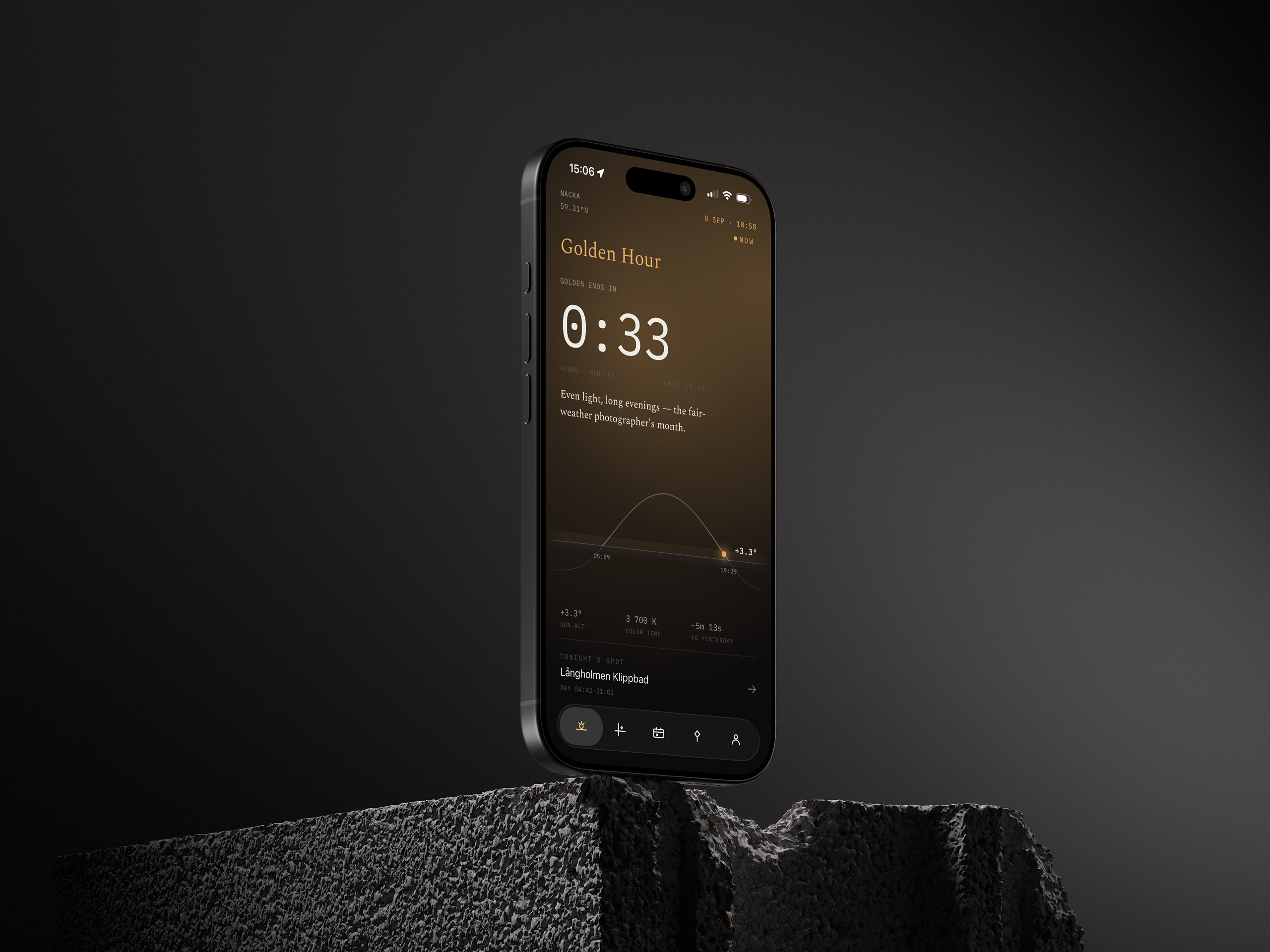 shot1 · 4:3 · 2560×1920
 shot2 · 4:3 · 2560×1920
Every app tells you when golden hour is. I wanted to know what the light would do.
Sightline describes the light in a photographer’s terms for any moment you pick: what it will do to a face, to a facade, to a street, and whether it’s worth going out. You scrub forward by hours, days or months. A portrait at four in the afternoon in February, a street walk at ten at night in June. It tells you what you’ll actually get before you go.
Watch the shadows move.
The map draws the shadow of every building around you for the moment you’ve chosen, and moves them as you drag time forward. It’s the part people stop on when I show them the app. For street photography it tells you which side of the road is lit at 15:40 and when that ends. For a portrait it tells you where the open shade will be.
I built a shadow-mapping engine to do it.
The maths is public: NOAA’s solar equations and Copernicus elevation data. The buildings were the hard part. I ended up building my own engine that turns a city’s building geometry into shadows fast enough to scrub through on a phone, offline, and it can do that for big cities anywhere in the world. How is the one part I’m keeping to myself. Sightline launches with a few Scandinavian cities, Stockholm and Copenhagen first. Stockholm Light, the browser instrument on this site, was the first version of the idea.
The rhythm is the instrument.
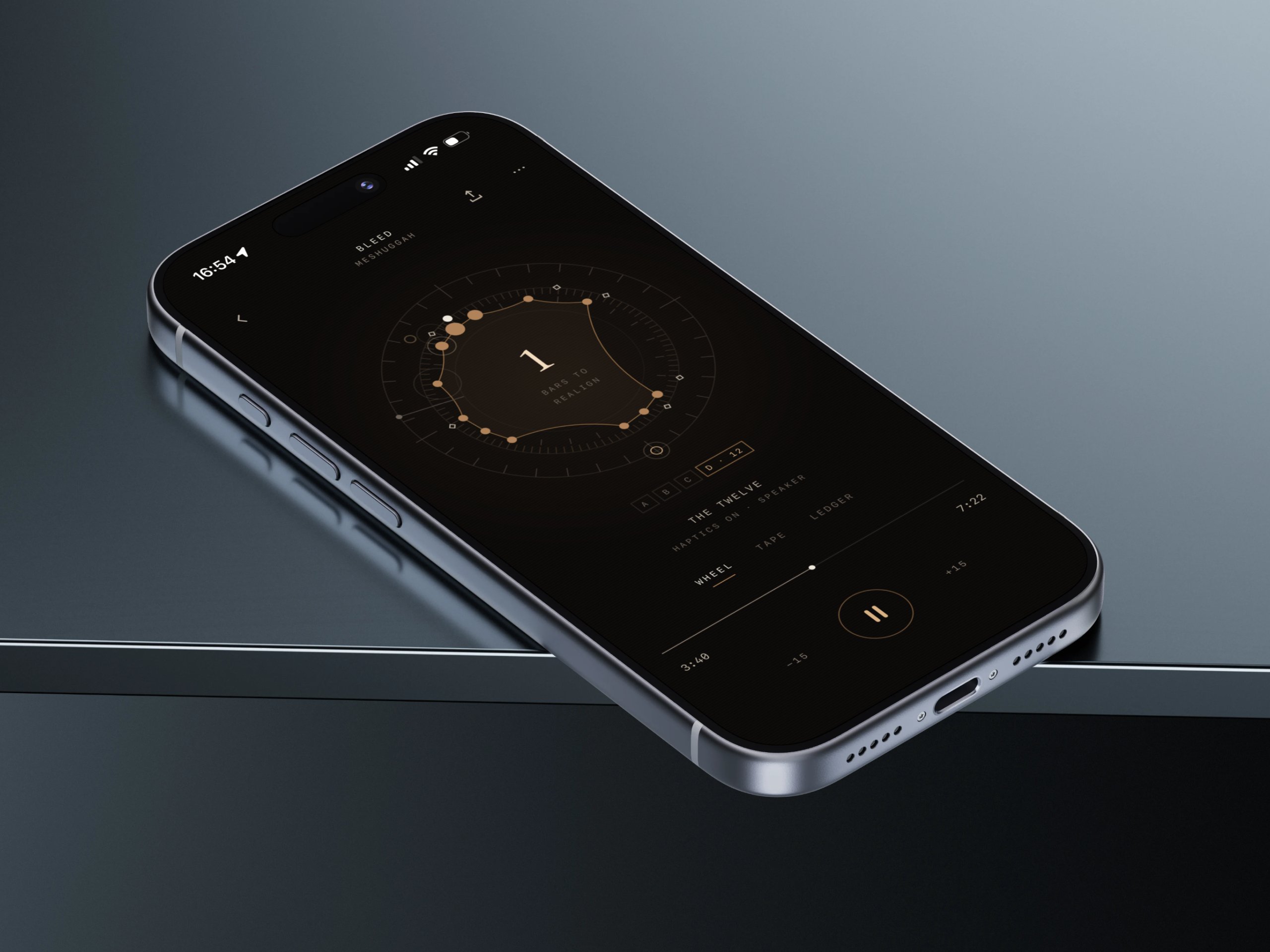
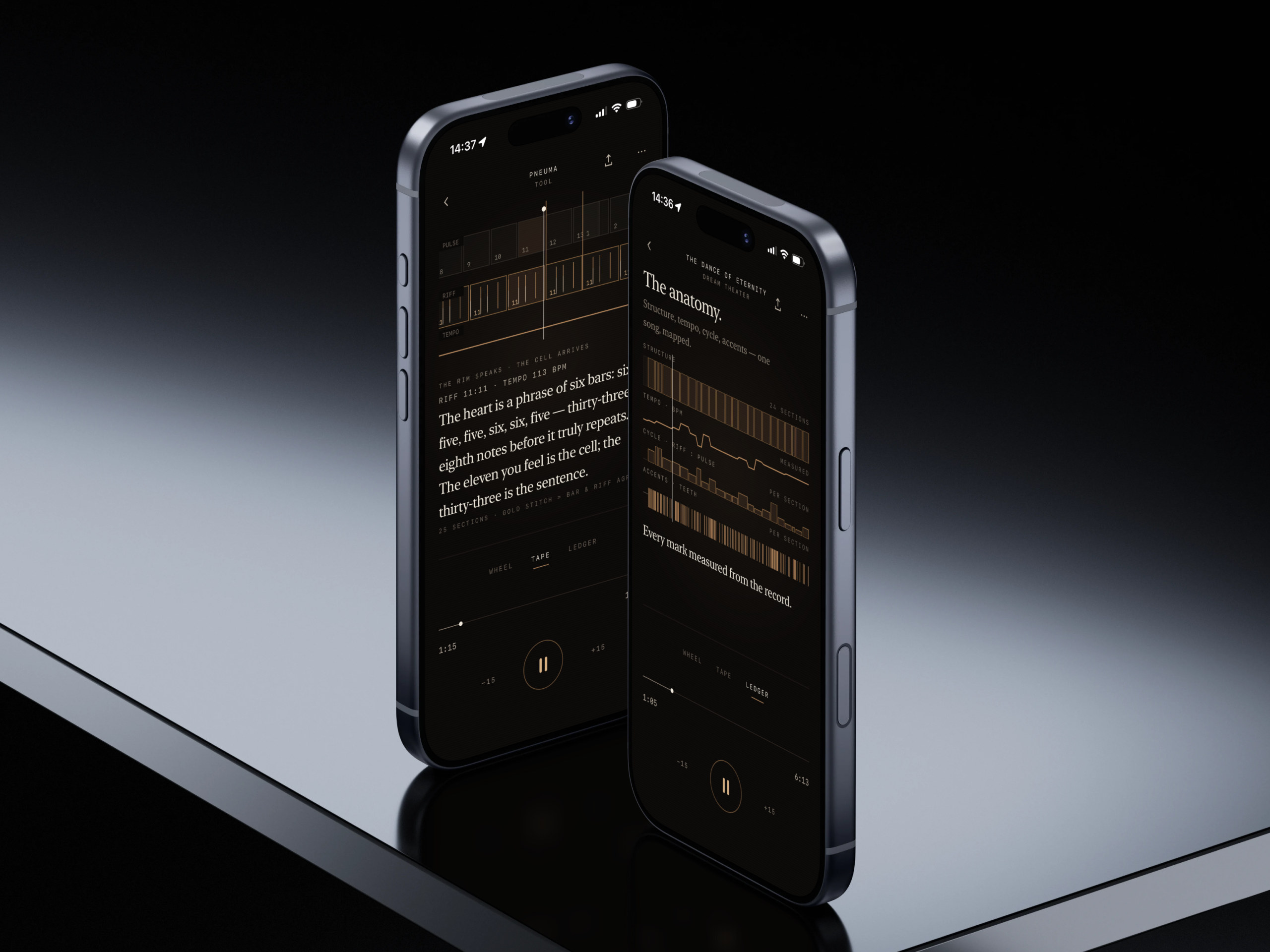
There’s a kind of music built on rhythm you can’t count on the first listen, or the tenth, and it has fascinated me for years. Lateralus is built on the Fibonacci sequence, the riff counting 9, 8, 7 while the vocal line climbs 1, 1, 2, 3, 5, 8. The Dance of Eternity changes time signature over a hundred times in six minutes. There are many more like them, and playing any of it means your hands and feet counting different numbers at once. Herta is my attempt to do that justice on a phone: the rhythm drawn as a turning shape while the record plays, every hit tapped into your hand. Not for everyone, but a few people will find it mesmerising. The music comes from your own Apple Music. Herta is what you see and feel while it plays.
 shot1 · 4:3 · 2560×1920
 shot2 · 4:3 · 2560×1920
You can see the realignment coming.
Most rhythm graphics are timelines. They show you where you are and nothing about where you’re going. In these songs the riff and the drums run in different lengths and drift apart, and the thing you’re waiting for is the bar where they meet again. Herta’s outer ring counts down to that bar. The shape inside it changes with every cell, its corners on the hits that were actually played. The phone taps each one into your hand as the record plays, so you feel the accents and the big thump when a 25-bar cycle finally lands.
AI wasn’t ready for this. I found out the hard way.
The plan was to have a transcription engine map the drums for every song. I built one. It could find a tempo and a time signature blind, which felt like a breakthrough, and then it put snares where there weren’t any and lost half the kicks in the fast passages. A week of evenings went into making it accurate and it never got there. Not for Meshuggah. So the engine got demoted to a rough first draft, and the real work moved to my ears.
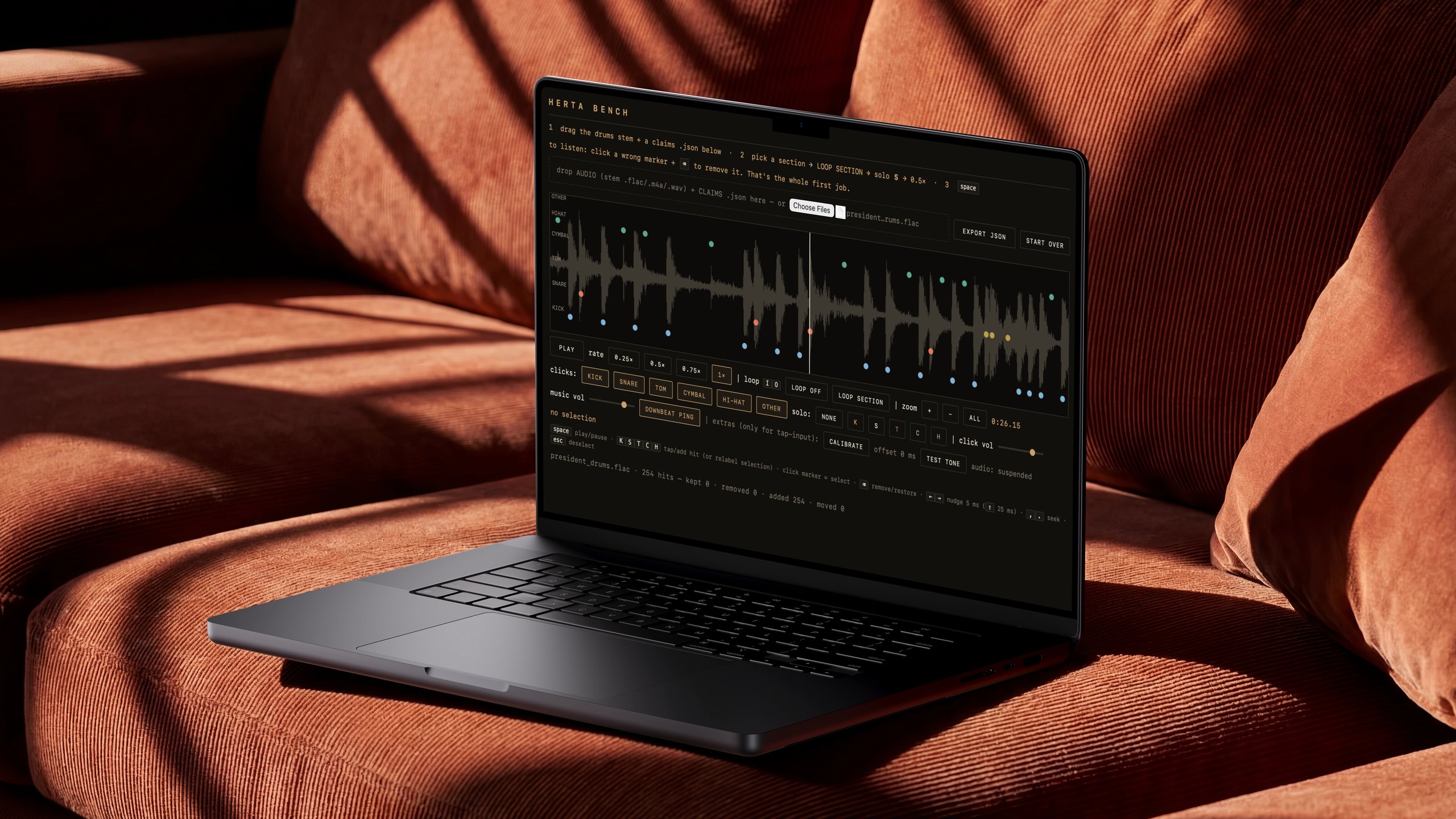 Herta Bench · bench@2x · 16:9
So I built a tool to place every hit by hand.
Herta Bench is a small browser app I made for one job: drop in a song’s drum stem, slow it to a quarter speed, loop a section, and click each kick, snare, hi-hat, cymbal and tom onto the waveform where I hear it. Then export the map to the app. Bleed took about eight hours and three and a half thousand hits. It’s slow, and it’s the only method that has passed my own ear test, so every song in Herta is done this way, one at a time, finished before the next one starts.
Find the sun.
The sun is in short supply here, and the city knows it: the first warm week of the year, every terrace on the sunny side is full by noon. Solplats shows you which terraces, benches and quays are in the sun right now, and at any hour you choose, so you walk straight to one that’s lit. Offline, on your phone. Stockholm first.
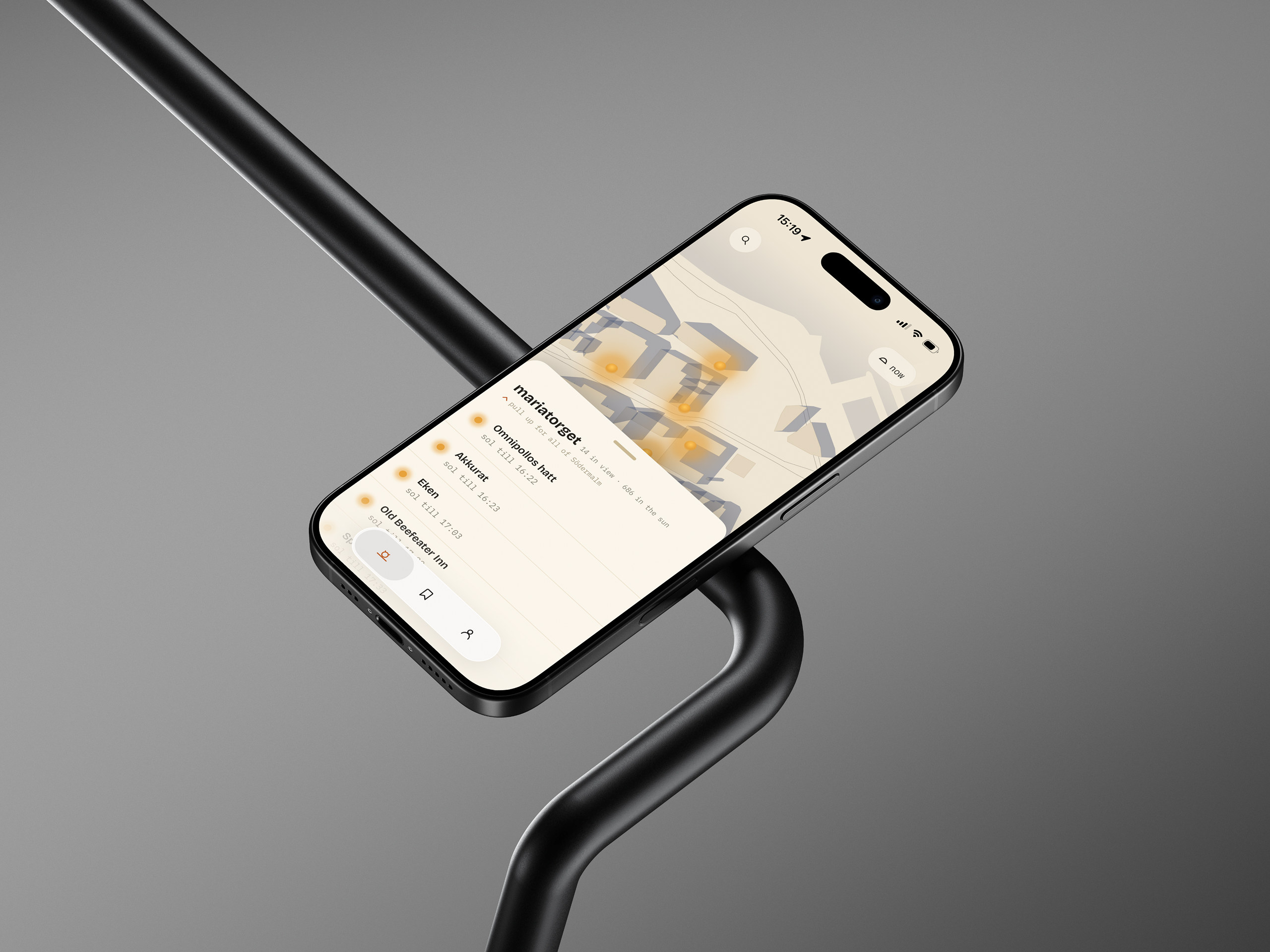 shot1 · 4:3 · 2560×1920
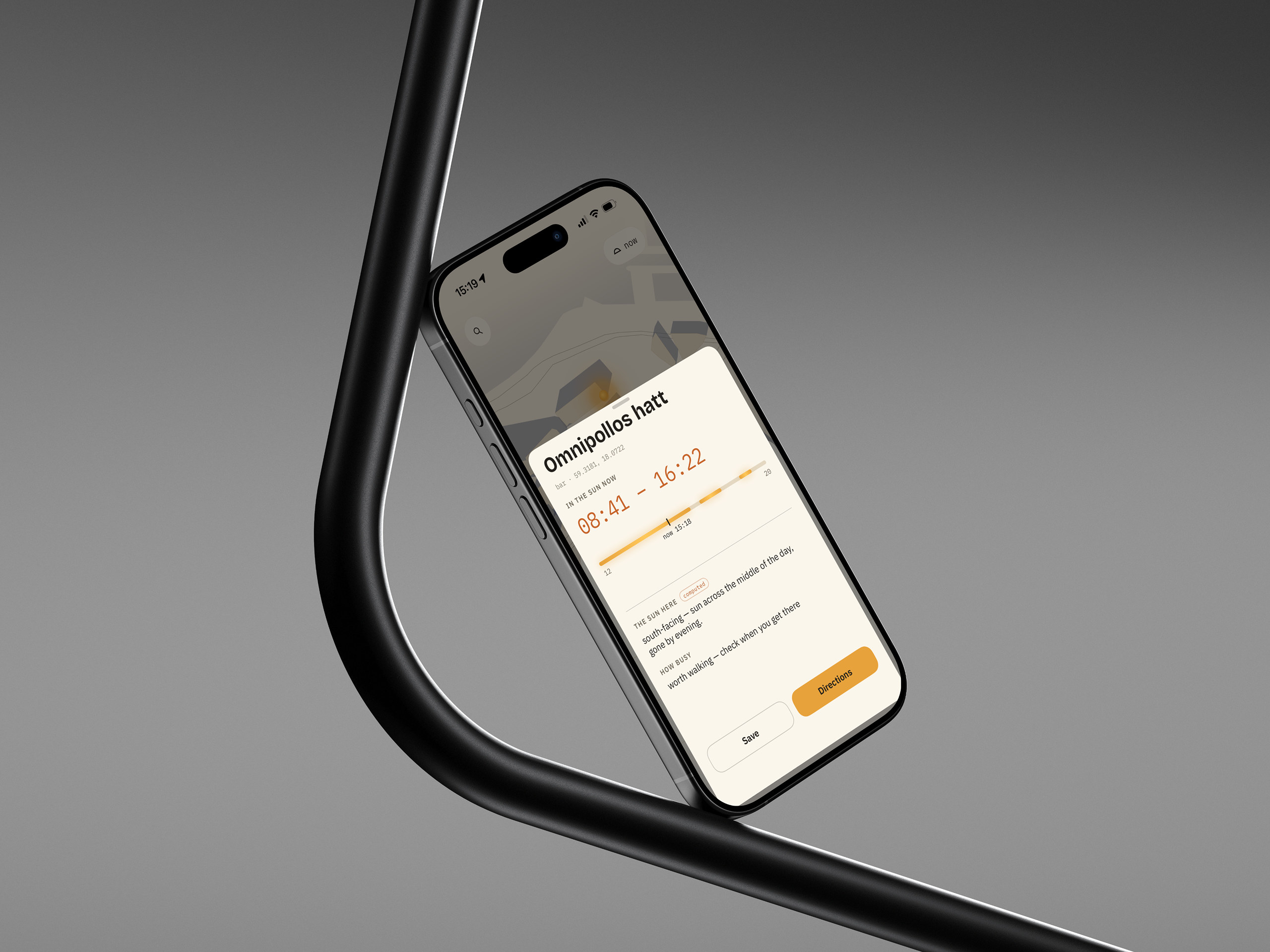 shot2 · 4:3 · 2560×1920
Which terrace still has the sun at five?
The sun here sits low and moves fast, so a terrace that’s warm at two can be in shade by three. Solplats runs on the same engine as Sightline, the same buildings and the same shadows, pointed at the question of where to sit. Stockholm first, other cities as the engine gets them.
Dress deliberately.
A wardrobe that fills itself in. Add a piece from a product tag or a photo and ARCHIVE/D works out the rest, then it puts outfits together from what you already own, for how you like to dress and for what the day needs. Nobody sees it but you.
Composed against The Northern Column →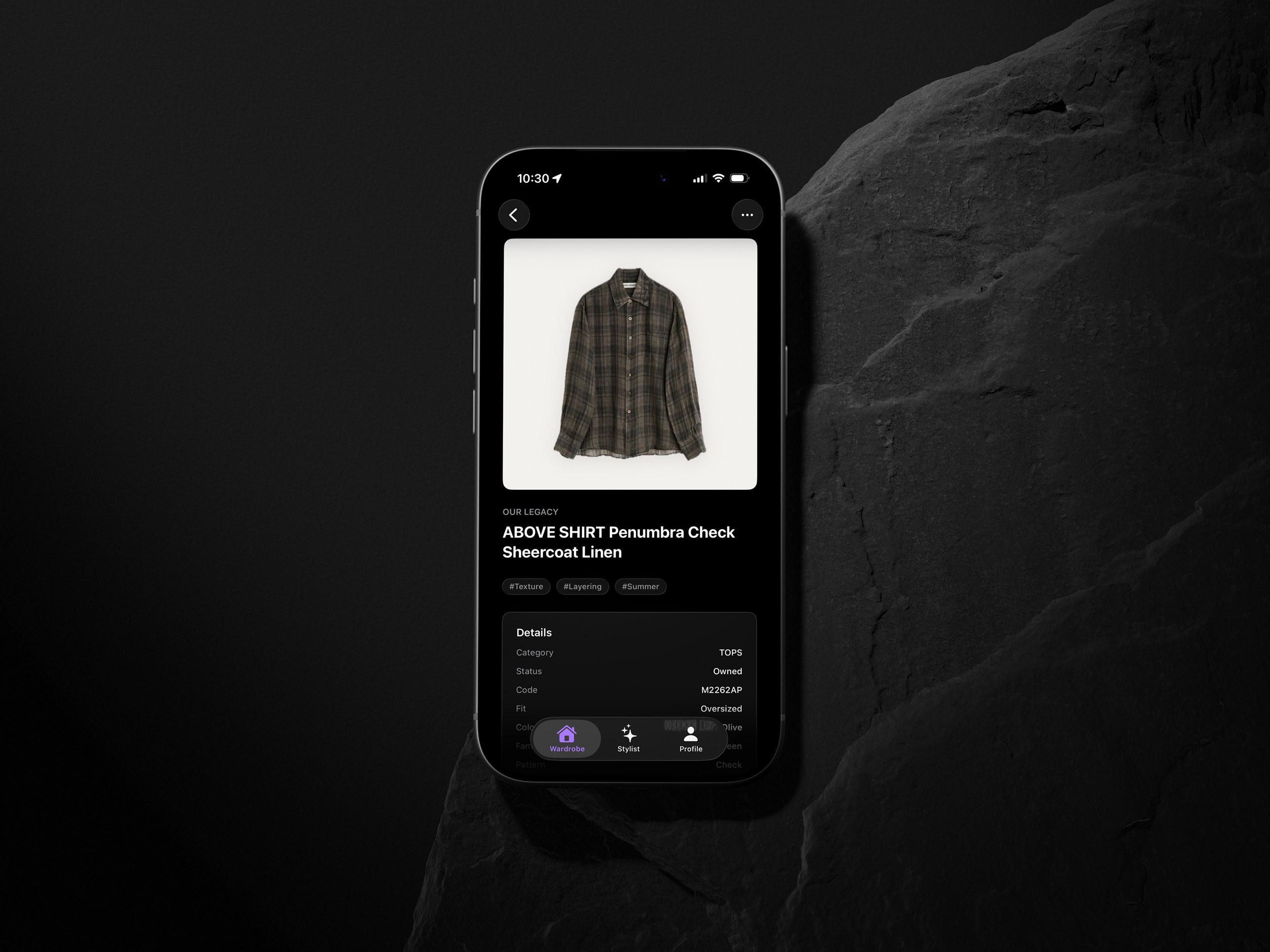 shot1 · 4:3 · 2560×1920
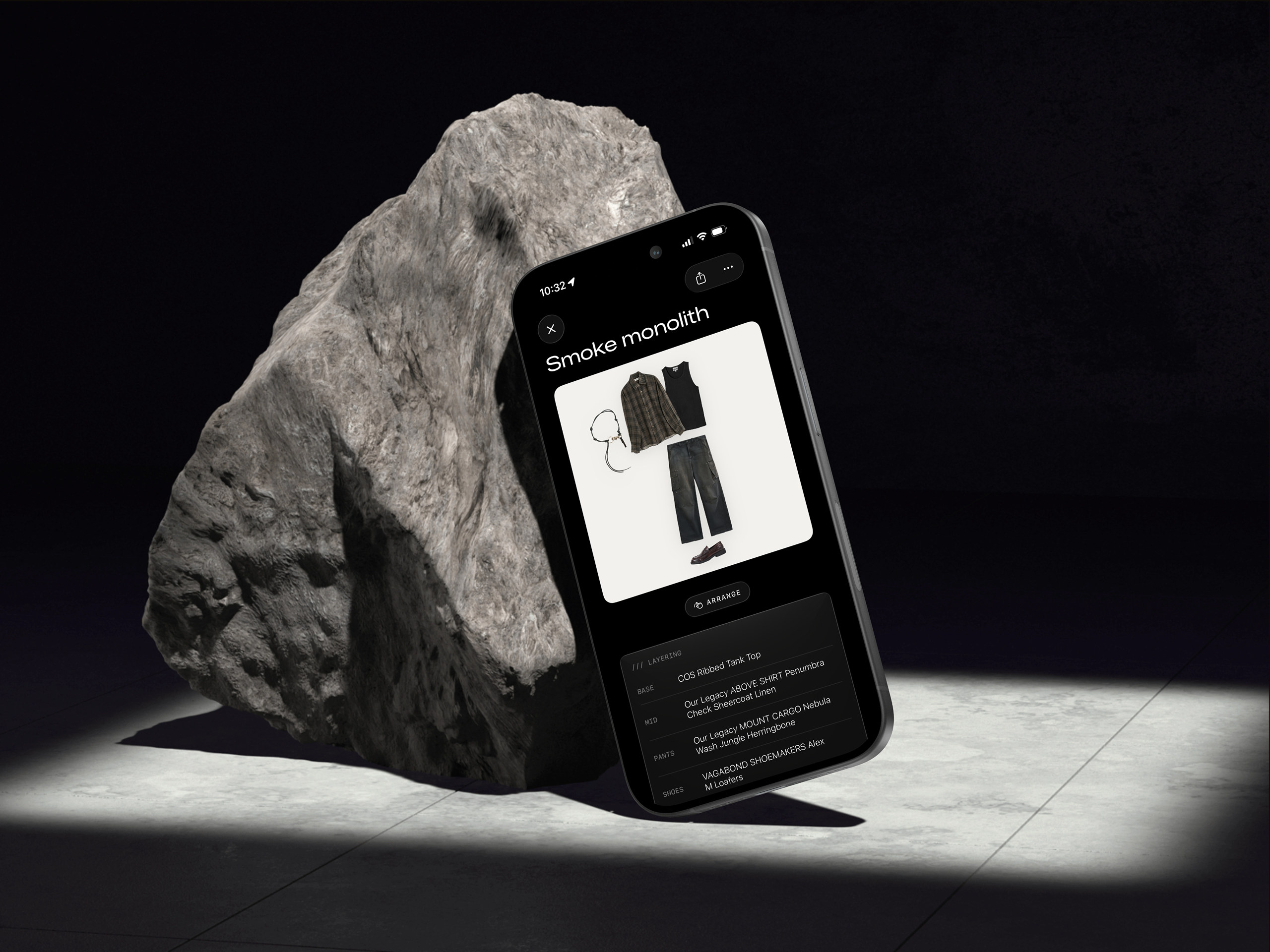 shot2 · 4:3 · 2560×1920
Add a garment from its tag, or a photo. The app fills in the rest.
Wardrobe apps die on data entry. Nobody photographs and labels two hundred pieces. So in ARCHIVE/D you add a garment from whatever you have to hand, a product tag, a product photo, a picture of it on the bed, and it works out the details itself: the volume, the texture, how rigid the fabric is, what it goes with. You end up with a real archive of what you own, with more written about each piece than you’d ever type in.
Your constants, plus today.
Two things decide an outfit. Your constants, meaning how you like to dress in general, which the app learns and keeps. And what today needs: a day of trains and airports, a long walk in the rain, a dinner you’d rather not think about. Give it the second and it composes from the first, using the details it built up, and shows you the result as a flat lay of your own clothes. There’s no feed and nobody else sees your wardrobe. The Northern Column, the browser instrument on this site, is the same eye applied to abstract shapes.
A small family of apps is taking shape alongside these, made with an occupational therapist who shapes the thinking while I build — work concerned with the texture of everyday life: pacing energy and routine, and making the spaces people live in easier and more comfortable to be in. Work like this carries a different weight, and it will arrive only when it's carried properly.